
Access Your Student Dashboard
Login to attempt daily answer writing tests, upload handwritten answer sheets, receive expert evaluation, and track your preparation progress—all in one place.
Already enrolled? Login with your registered email or mobile number.
Secure Login
Daily Tests
PDF Upload
Expert Review
Email Alerts
Before You Begin
Please read the following instructions carefully before registering, logging in, attempting a test, or uploading your answer sheet.
Register with Correct Details
Register using your official email address and mobile number. Enter only the batch code(s) assigned by O2 IAS Academy.
Check Your Email
Your login password will be sent automatically to your registered email address after successful registration.
Login & Access Tests
After logging in, open the Calendar Tests section to view all active tests available for your enrolled batch.
Upload PDF Only
Upload a single PDF containing all pages of your handwritten answer sheet. Ensure every page is clear, complete, and in the correct order before submitting.
Submit Before the Deadline
Submit your answer sheet before the specified deadline. Late submissions may not be accepted once the test closes.
Track Your Evaluation
Once your answer sheet has been evaluated, you can view your marks, remarks, and download the evaluated copy from your dashboard. An email notification will also be sent.
How You'll Practice Throughout the Course
The O2 IAS Academy Student Test Portal offers two structured test series designed to help UPSC & State PCS aspirants practice consistently, improve answer writing skills, and receive expert faculty evaluation throughout their preparation journey.
Daily Answer Writing (DAW)
The Daily Answer Writing (DAW) programme is designed to help students build a consistent answer writing habit through structured daily practice. Students will receive daily questions, submit handwritten answer sheets, and receive expert evaluation with personalized feedback.
- Daily answer writing practice
- Questions based on the UPSC & State PCS syllabus
- Expert evaluation with detailed feedback
- Performance tracking and continuous improvement
- Launching Soon
Calendar Tests
Calendar Tests are scheduled according to your batch's academic calendar. Open the Calendar Tests section to view available tests, attempt them within the specified schedule, and upload your answer sheet before the submission deadline.
- View all tests published by your faculty
- New tests appear as soon as they are released
- Attempt tests within the specified submission period
- Upload your answer sheet before the given deadline
- Track evaluation status, marks, and download your evaluated copy
How the Portal Works
Follow the simple steps below to register, access your tests, submit answer sheets, and receive your evaluated copies.
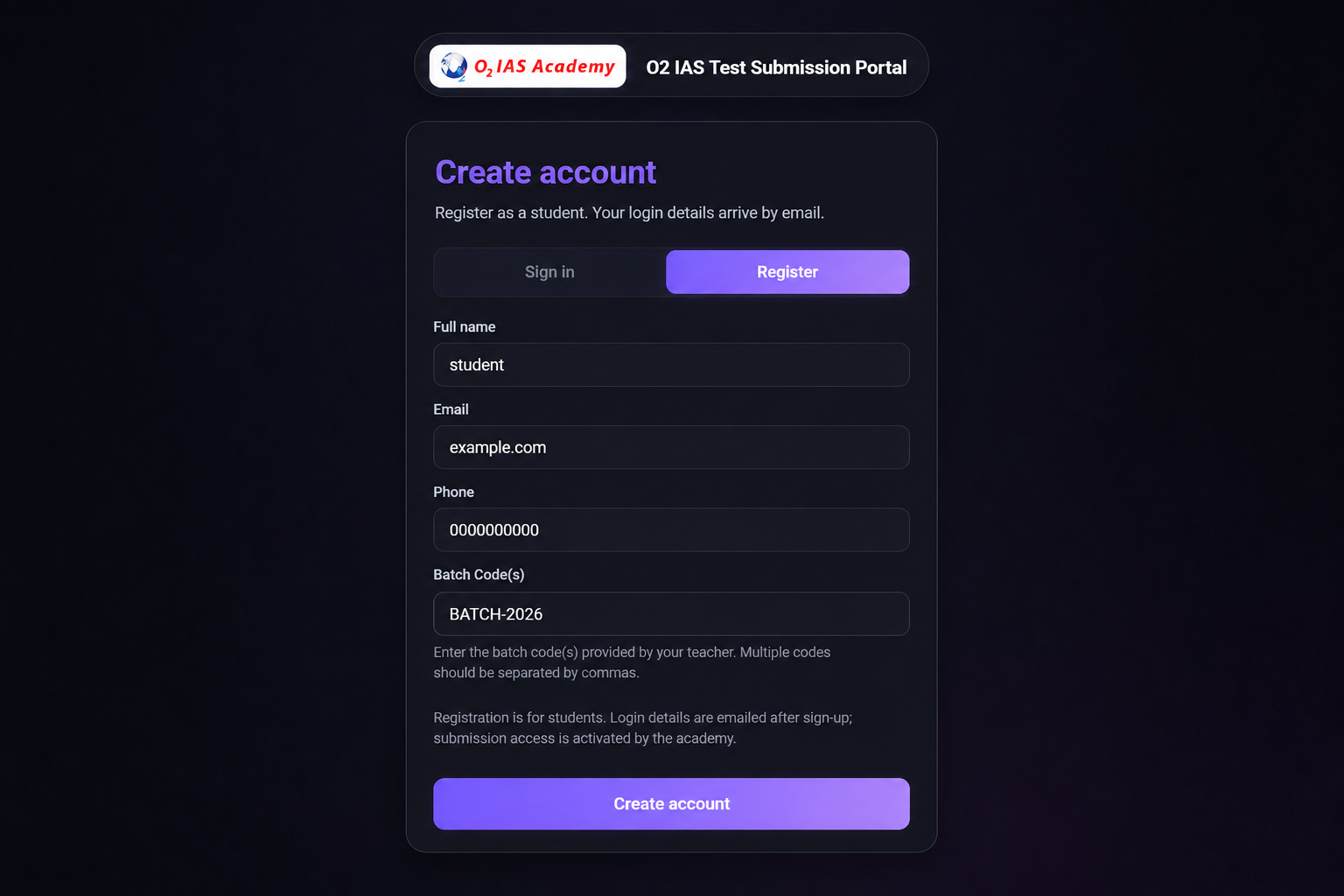
Register Your Account
Begin by creating your Student Portal account using your full name, registered email address, mobile number, and the batch code(s) assigned by O2 IAS Academy.
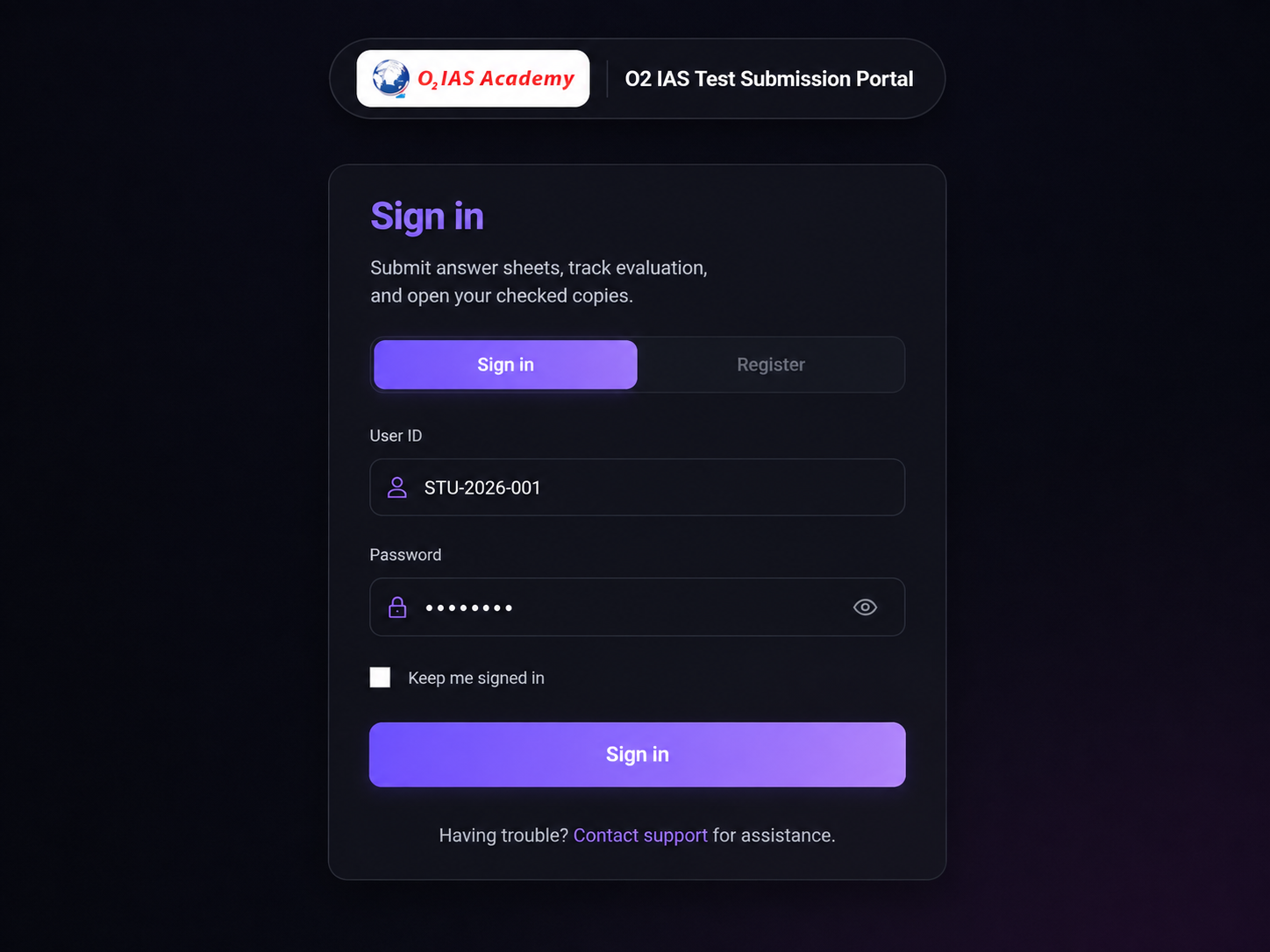
Login to Your Portal
After successful registration, your login password will be sent to your registered email address. Sign in securely to access your dashboard, live tests, submissions, and evaluation status.
Password via Email
Your password is automatically sent to your registered email address.
Secure Login
Use your registered email address and password to access your dashboard.
Personal Dashboard
View available tests, submissions, and evaluation status in one place.
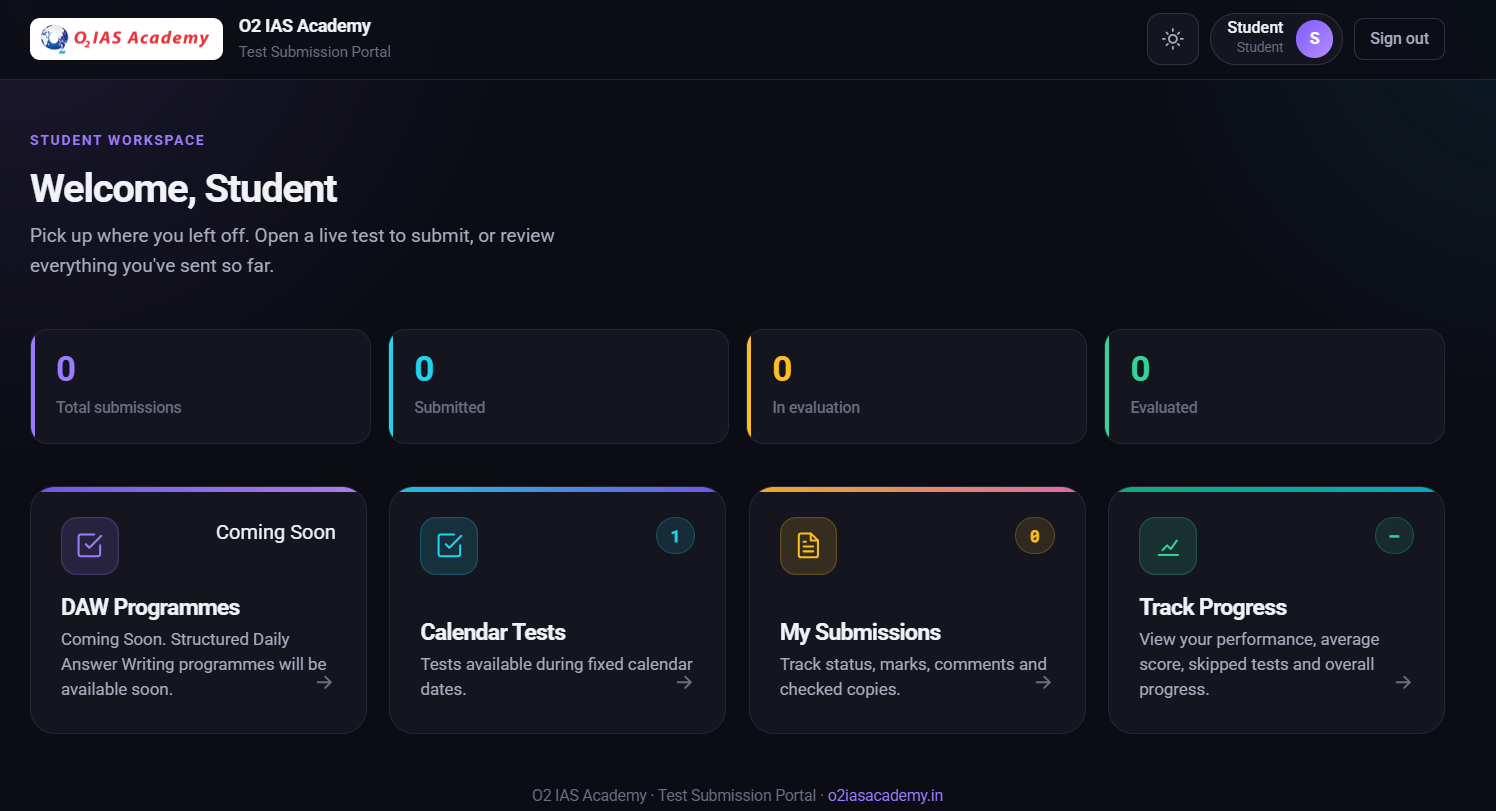
Access Your Available Tests
After logging in, you'll see all tests available for your enrolled batch. Open the Calendar Tests section to view active tests, check submission deadlines, and begin your answer writing practice.
Start Your Test
Once you've selected your test category, you'll see all the tests available for your assigned batch. Open the question paper and begin your test according to the schedule.
View Available Tests
Only tests assigned to your enrolled batch(es) will be displayed.
Open the Question Paper
Download or view the question paper before attempting the test.
Write Your Answers
Complete your answers neatly on paper before scanning them into a PDF.
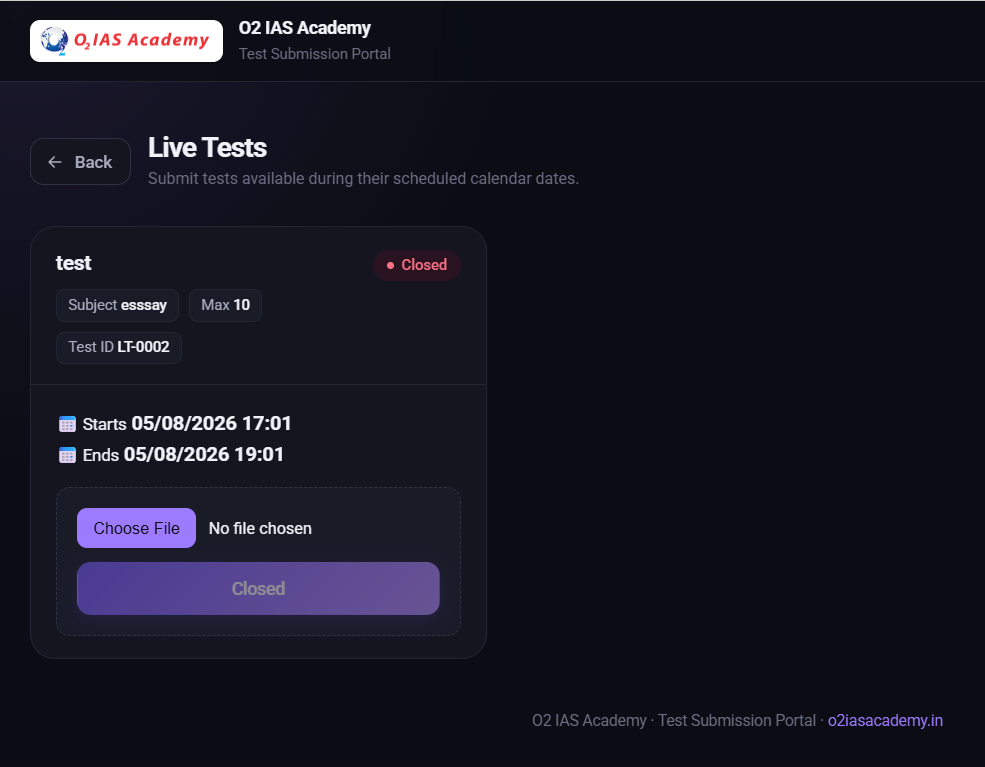
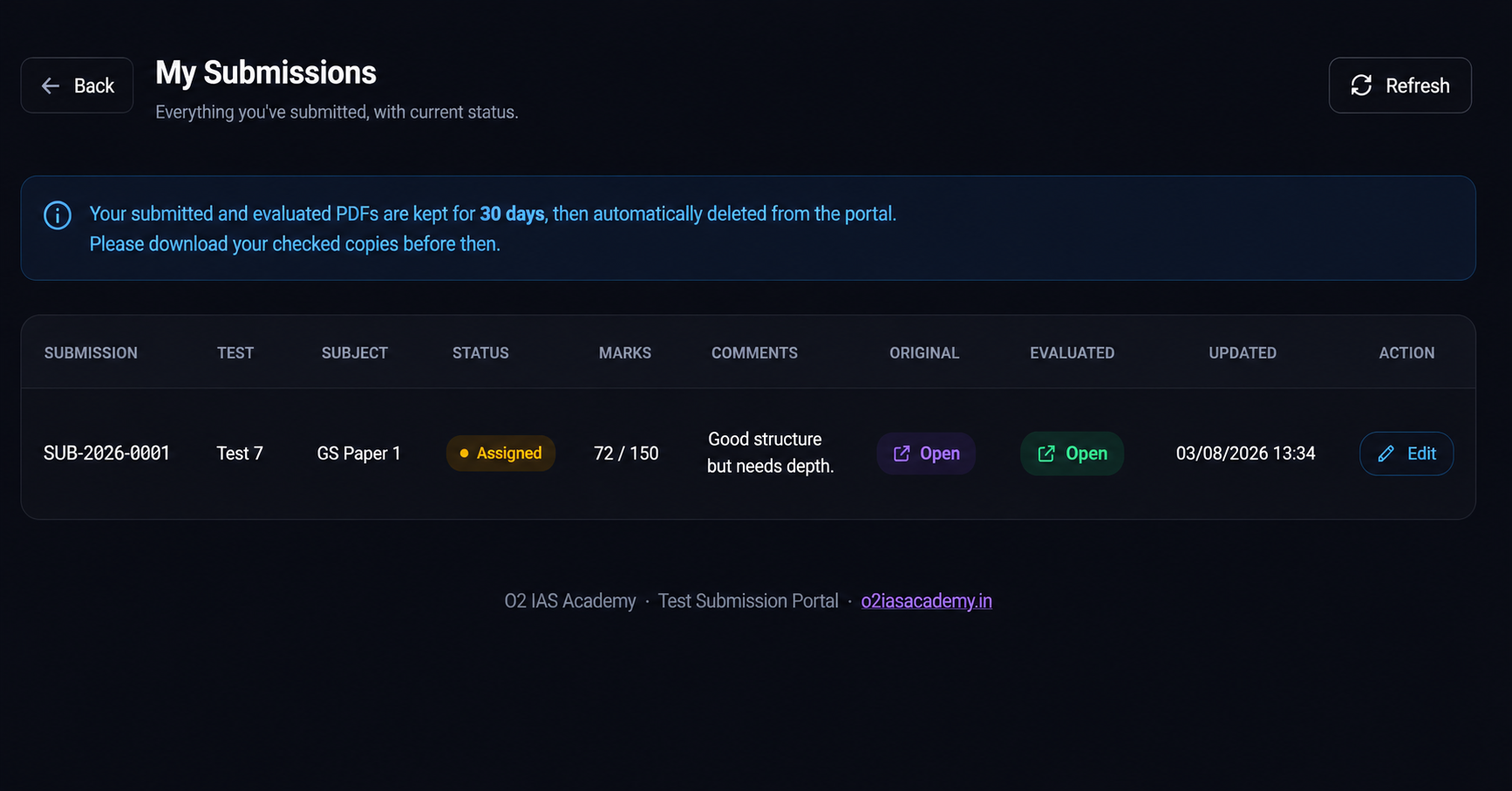
Upload Your Answer Sheet
After completing your test, scan your handwritten answer sheet and upload it in PDF format. Review your submission carefully before confirming to ensure all pages are included and clearly visible.

Upload PDF Answer Sheet
Submit a single, clear PDF containing all pages of your handwritten answer sheet.

Review Before Submission
Verify that the uploaded file is correct, complete, and easy to read before submitting.

Submit Before Deadline
Ensure your answer sheet is uploaded before the submission deadline mentioned for the test.
Your Answer Sheet is Evaluated
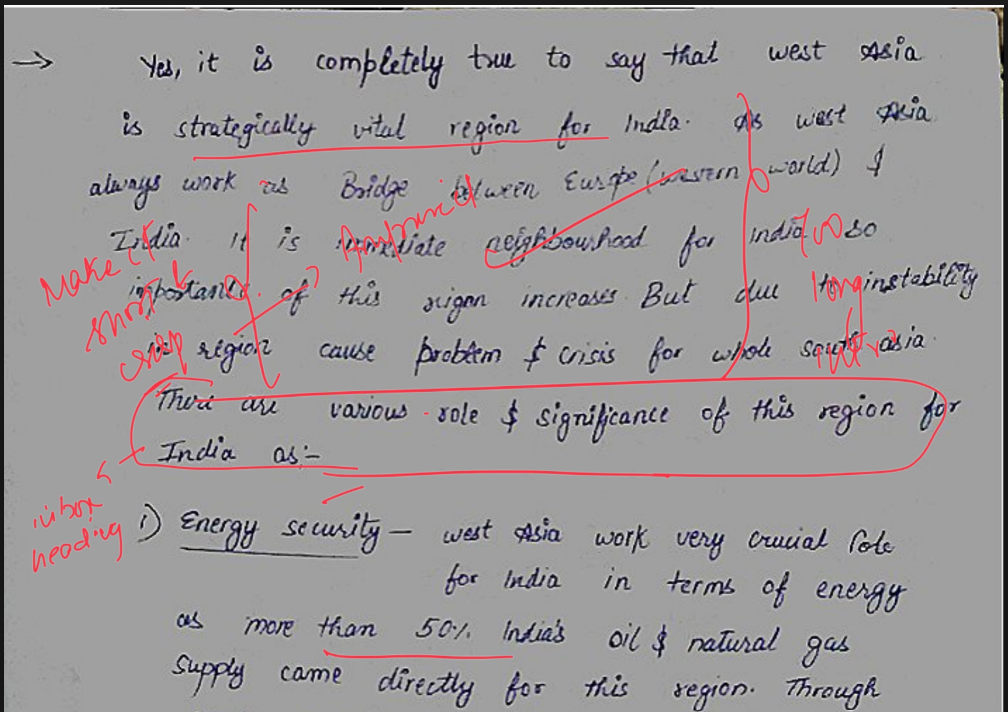
Once your answer sheet is submitted, it is assigned to an evaluator for review. After evaluation, your marks, remarks, and evaluated answer sheet are published in your Student Dashboard for easy access.
Expert Evaluation
Your answer sheet is reviewed by the assigned evaluator based on the test guidelines.
Marks & Remarks
View your score along with detailed remarks to understand your strengths and areas for improvement.
Download Evaluated Copy
Access and download your evaluated answer sheet directly from your dashboard whenever you need it.
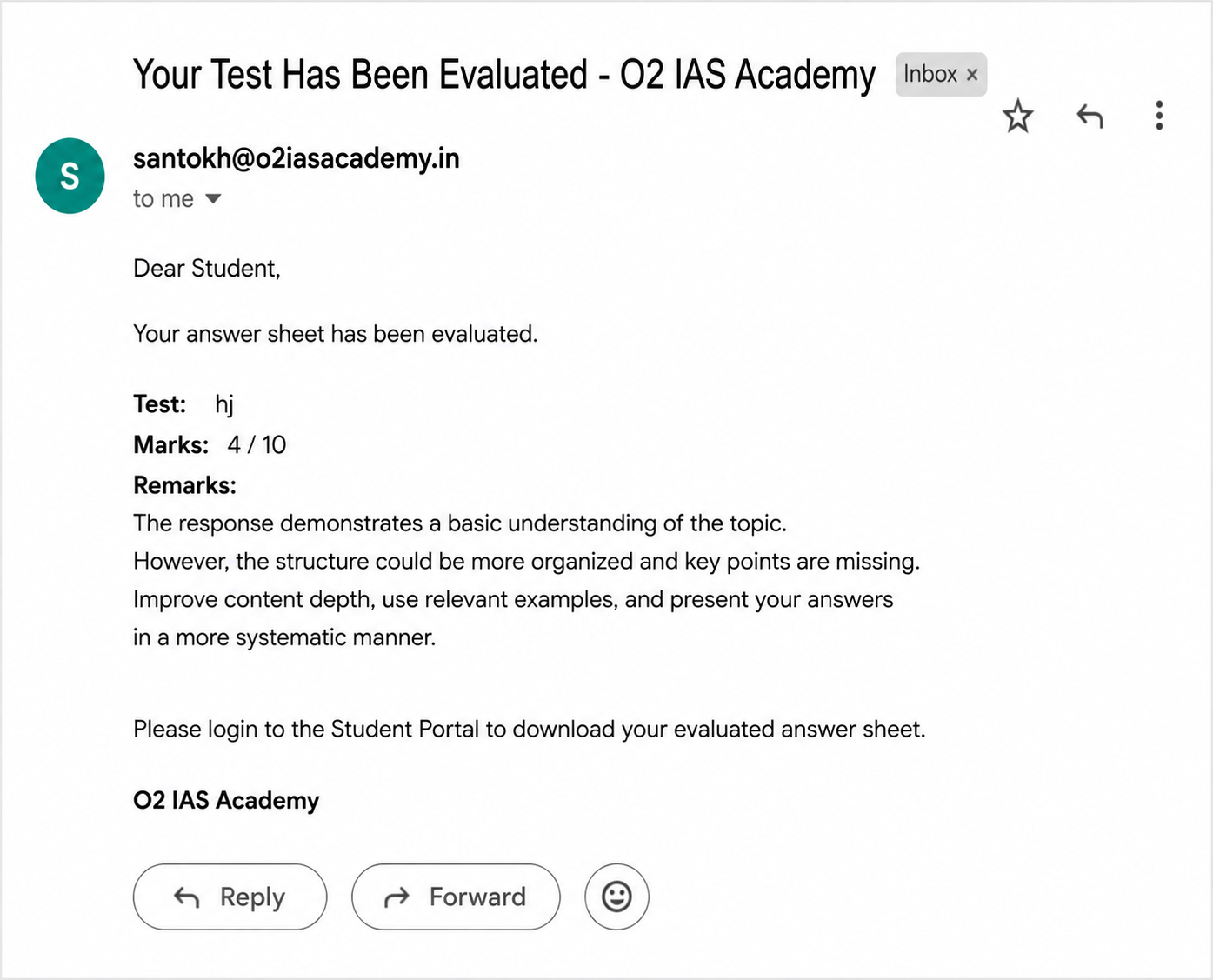
Receive Your Evaluation Notification
Once your answer sheet has been evaluated, an email notification will be sent to your registered email address. Simply log in to your Student Dashboard to view your marks, evaluator remarks, and download your evaluated answer sheet.
Email Notification
Receive an email as soon as your evaluation is published.
View Results
Check your marks, evaluator remarks, and performance report from your dashboard.
Download Evaluated Copy
Download and keep a copy of your evaluated answer sheet for future reference.
Everything You Need to Improve Your Answer Writing
The O2 IAS Academy Student Test Portal is designed to help UPSC and State PCS aspirants practice consistently, receive expert feedback, and monitor their progress throughout their preparation journey.
Daily Answer Writing Practice
Develop the habit of writing quality answers every day through structured Daily Test Series designed for UPSC and State PCS preparation.
Planned Test Schedule
Access Daily Test Series and Calendar Tests according to your study plan and stay consistent throughout your preparation.
Online Answer Sheet Submission
Upload your handwritten answer sheets in PDF format quickly and securely from your personal Student Dashboard.
Expert Evaluation & Feedback
Receive detailed evaluation, marks, and personalized remarks from experienced faculty to improve answer quality.
Track Your Performance
Review evaluated answer sheets, monitor your progress, and identify areas that require more practice and improvement.
Built for UPSC & PCS Aspirants
Whether you are preparing for UPSC CSE, HAS, HCS, PCS, JKPSC KAS or other competitive examinations, practice consistently with one integrated platform.
Student Portal Support
Having trouble with registration, login, batch codes, test access, PDF uploads, or evaluation? Fill out the support form below and our team will get back to you as soon as possible.